
Self Hosted Audit
Self Hosted audit is split between the customer controller and the local worker UI.
That split is intentional. The controller coordinates workflow and integrations. The worker owns the execution path and the deeper run evidence.
A Self Hosted install normally has a worker gateway plus one or more executors. The gateway serves the Local Worker UI and owns local audit/config state. Executors pick up and run jobs.
Customer Controller Audit
Section titled “Customer Controller Audit”Open:
https://controller.mergeloom.aiUse Controller Audit for:
- intake polling
- ticket eligibility
- assignment checks
- repository routing
- queue and worker assignment state
- workflow status updates
- PR or MR coordination
- integration errors
Controller Audit is the first place to check when a ticket was never picked up or never reached the worker.
Local Worker Audit
Section titled “Local Worker Audit”Open the local worker UI:
http://127.0.0.1:8010/If the worker is remote, tunnel it first:
ssh -L 8010:127.0.0.1:8010 your-user@your-vpsUse the local worker UI for:
- live run state
- provider readiness
- Ticket Audit
- Code Audit
- deep worker traces
- execution logs
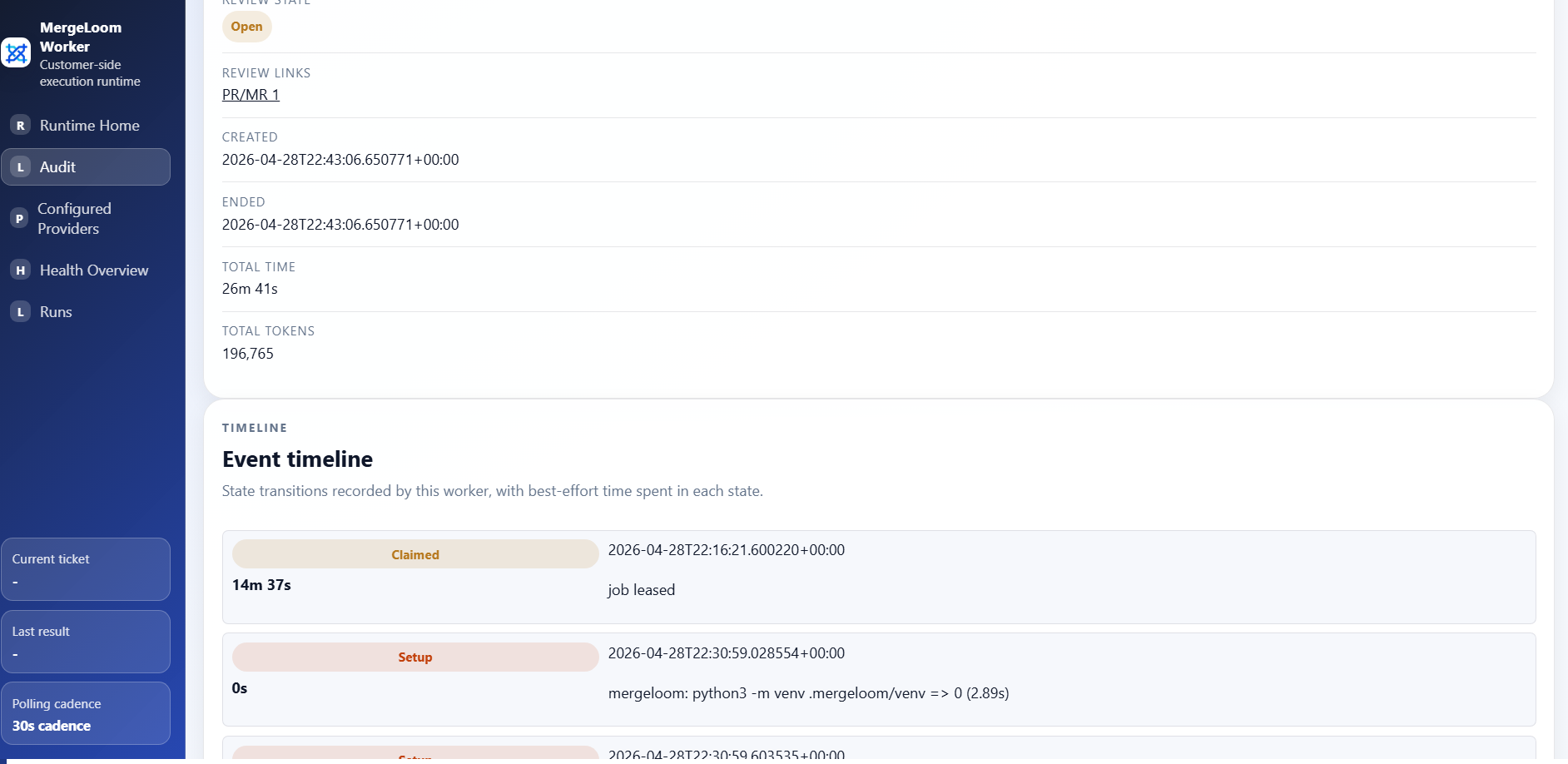
Ticket Audit
Section titled “Ticket Audit”Ticket Audit answers:
- which ticket ran
- which repository was changed
- which model/provider path was used
- which Quality Agent stages ran
- which validation commands ran
- whether repair or review fixes were attempted
- why the run succeeded, blocked, or failed
Use Ticket Audit when engineers ask “what happened during this run?”
Code Audit
Section titled “Code Audit”Code Audit answers:
- which repositories have MergeLoom-written lines
- which files were touched
- which lines were added or removed
- which ticket and run produced those lines
- when they were written
- where the PR or MR evidence is linked
See Code audit.
Data Boundary
Section titled “Data Boundary”For Self Hosted workspaces, deep run traces and Code Audit evidence stay worker-owned. The controller stores coordination metadata and visible job state, but it is not the system of record for worker-local execution evidence.
Retention and Backups
Section titled “Retention and Backups”Self Hosted audit retention is controlled by the worker gateway and its local data stores. Runtime settings include audit retention controls, and deployment settings can also affect cleanup.
Set an explicit audit retention value in the worker runtime settings for regulated environments. Do not rely on implicit defaults for compliance.
If Ticket Audit or Code Audit evidence must survive host replacement, back up the worker gateway data volume or the configured worker database.