
Where to Find Audits
MergeLoom has different audit surfaces for Cloud Hosted and Self Hosted execution. Check the correct UI before debugging a run.
Audit Location Depends on Execution Mode
Cloud Hosted audit is shown in the customer controller. Self Hosted worker execution audit is shown in the local worker UI, while the controller keeps intake and routing audit.
Quick Lookup
Section titled “Quick Lookup”| What you need | Cloud Hosted | Self Hosted |
|---|---|---|
| Current live run | Customer controller, Cloud Runtime | Local worker UI home page |
| Ticket execution audit | Customer controller, Audit tab | Local worker UI /audit |
| Code line audit | Customer controller, Audit tab, Code Audit | Local worker UI /audit/code |
| Controller intake audit | Customer controller, Audit tab | Customer controller, Controller Audit |
| Provider readiness | Customer controller, Cloud Runtime | Local worker UI providers page |
| Deep worker traces | Retained cloud evidence and summaries in the customer controller where plan allows | Local worker UI, worker-owned traces |
Controller Audit
Section titled “Controller Audit”Controller Audit is about controller-side activity and coordination. In the current customer UI it is the place to inspect activity records, intake events, sync warnings, routing decisions, filters, pagination, and event detail.
Use it for:
- intake polling
- ticket eligibility
- assignment checks
- repository routing
- job queue state
- assigning work to a worker
- PR or MR coordination
- integration errors
- workflow status update warnings
Controller Audit is not the same thing as worker execution audit.
For Self Hosted, Controller Audit tells you what happened before work reached the worker or after the worker returned output. Worker-side execution detail stays in the local worker UI.
Cloud Hosted Audit
Section titled “Cloud Hosted Audit”Cloud Hosted workspaces use the customer controller for:
- Ticket Audit
- Code Audit
- Context Engine Audit where enabled
- Controller Audit
Open the customer controller and go to Audit.
Cloud worker gateways are not exposed as a customer-facing Local Worker UI. The controller shows retained cloud evidence and recently refreshed views instead of asking cloud customers to open a worker gateway directly.
Self Hosted Audit
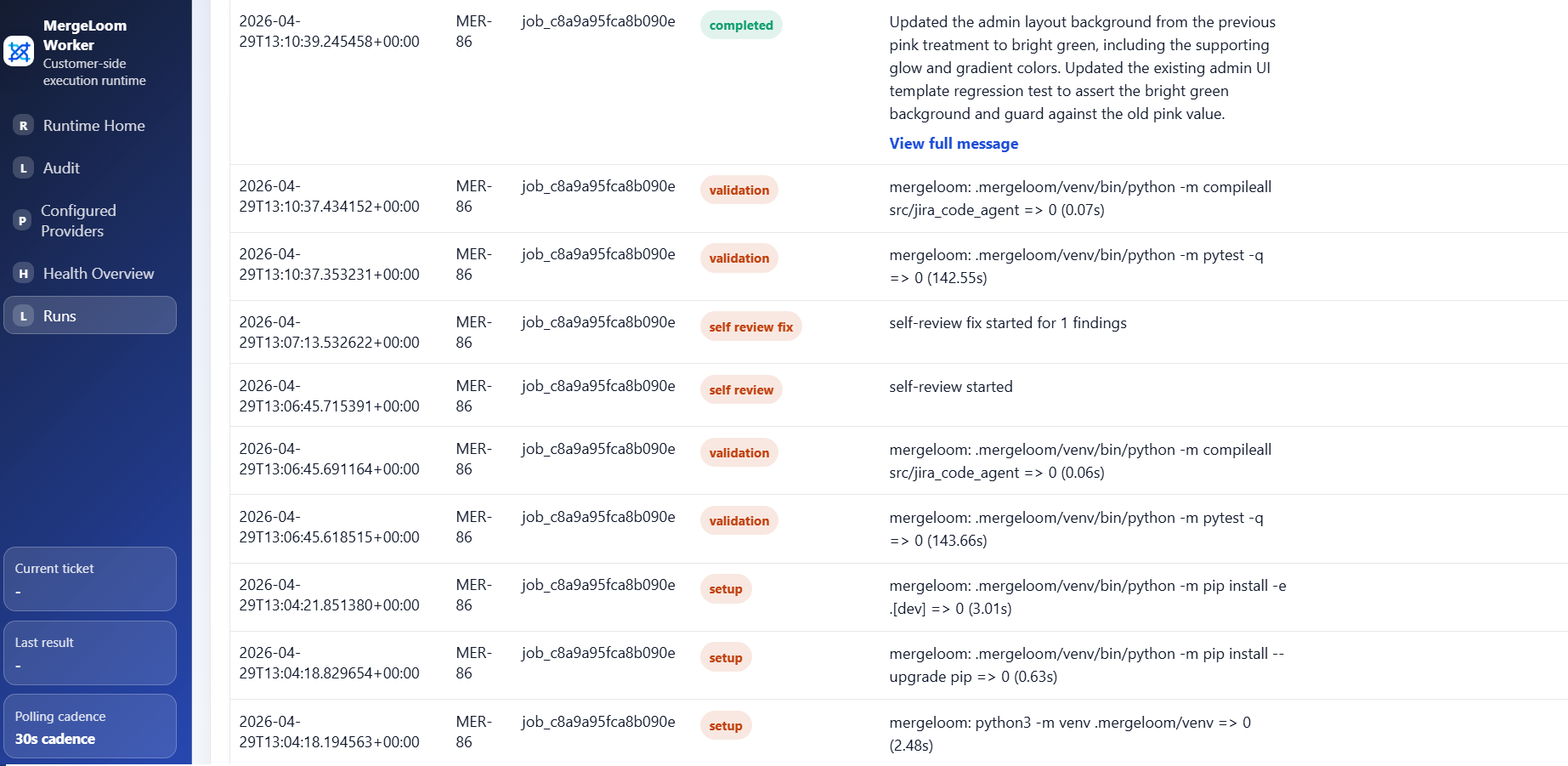
Section titled “Self Hosted Audit”Self Hosted workspaces split audit visibility:
- customer controller shows Controller Audit
- local worker UI shows Ticket Audit
- local worker UI shows Code Audit
- local worker UI owns deep traces and worker-local execution evidence
Open the local worker UI, usually:
http://127.0.0.1:8010/If the worker is on a VPS:
ssh -L 8010:127.0.0.1:8010 your-user@your-vpsThen open http://127.0.0.1:8010/ locally.
Which Audit Should I Use First?
Section titled “Which Audit Should I Use First?”Use this order:
- Ticket not picked up: check Controller Audit.
- Ticket picked up but not running: check controller queue and worker readiness.
- Worker running but failing: check Ticket Audit.
- Code changed but evidence looks wrong: check Code Audit.
- PR or MR not created: check Controller Audit and code host permissions.
See Cloud audit, Self Hosted audit, and Code audit.