Workflow States and Intake
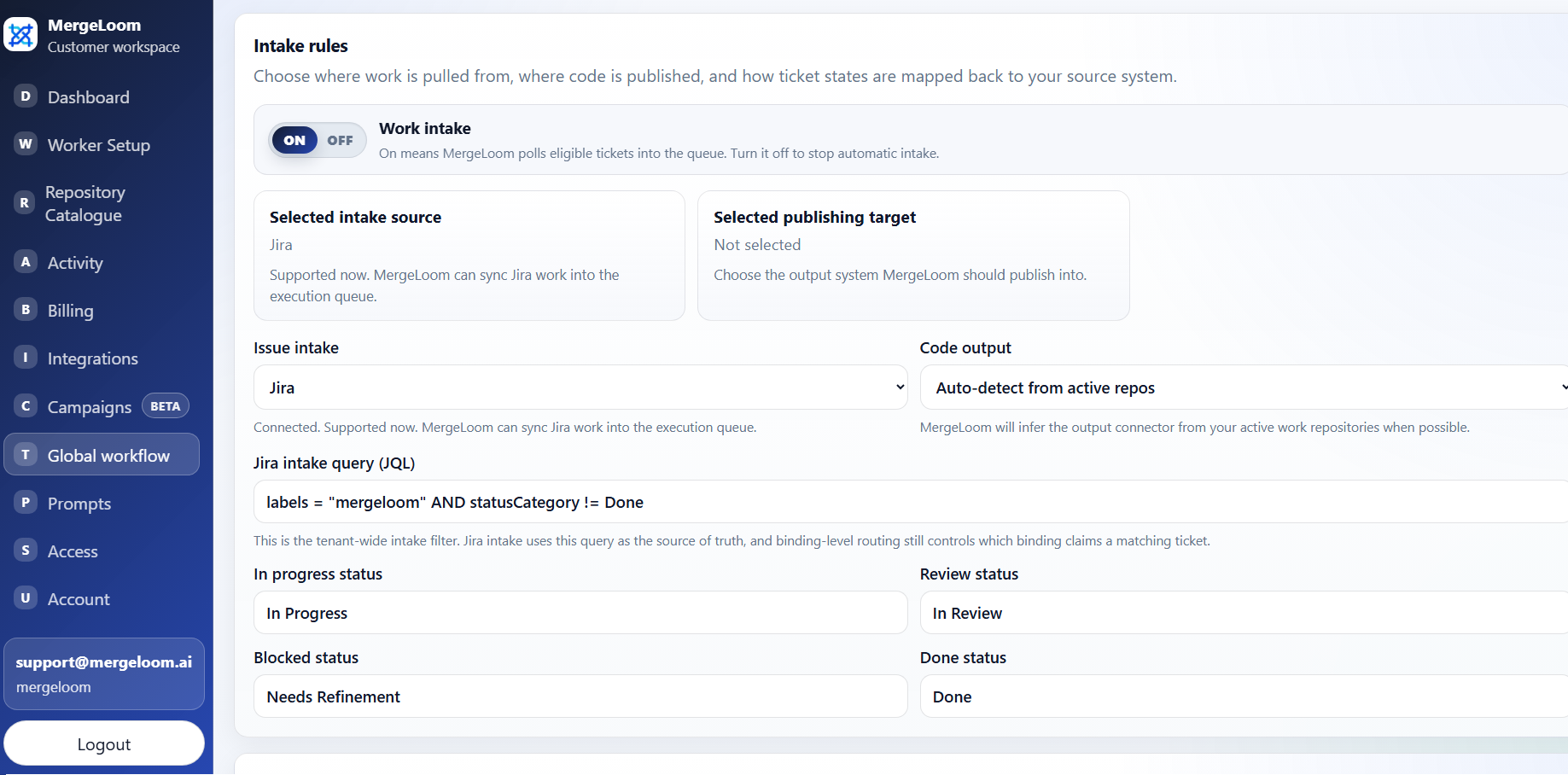
Workflow settings decide which tickets MergeLoom can pick up, which repository they target, and how tickets move through your existing tracker.
MergeLoom is designed to fit your current process. You keep planning, clarification, comments, and review in the tools your team already uses.
This Is in the Customer Controller
Configure workflow states from
https://controller.mergeloom.ai under Workflow. The local
worker UI does not own intake source, status mapping, or repository
routing rules.
Intake Is Off by Default
Section titled “Intake Is Off by Default”New workspaces do not poll tickets automatically.
Keep Scheduled intake off until:
- your work tracker is connected
- your code host is connected
- the repository catalog has been synced
- repository aliases are correct
- Cloud Hosted is ready or the Self Hosted worker is enrolled
- the first test ticket is prepared
Turn Scheduled intake on only when the execution path and routing labels are ready.
The Basic Workflow
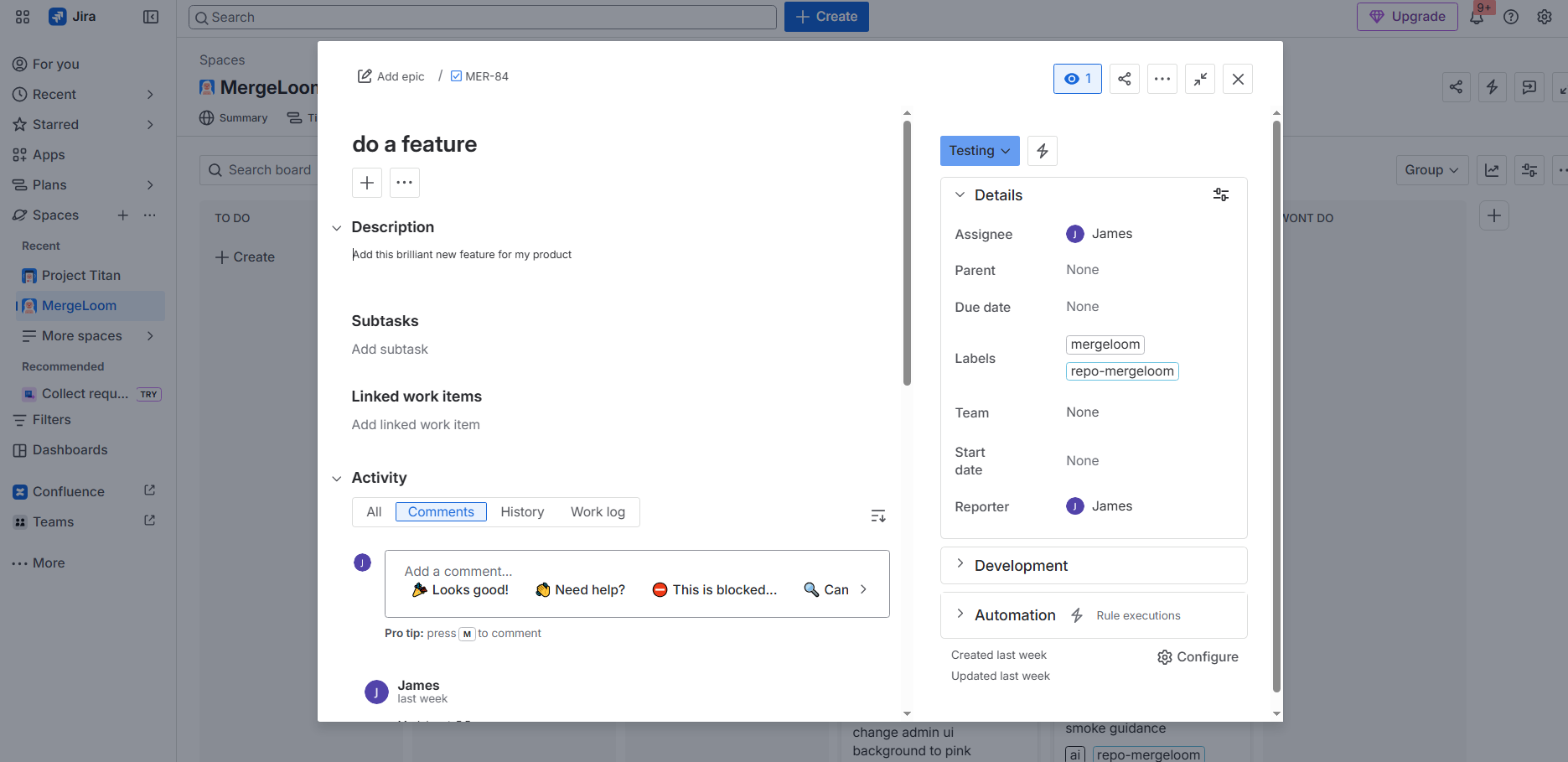
Section titled “The Basic Workflow”- A ticket gets the managed intake label, usually
mergeloom. - The ticket is in the configured ready state.
- The ticket is assigned to a MergeLoom workspace user when assignment is required.
- MergeLoom checks repository routing.
- MergeLoom creates a job record.
- The selected execution path runs the work.
- MergeLoom opens or updates the PR or MR.
- The ticket receives comments and status updates.
If a configured status does not exist in your tracker, MergeLoom records a warning instead of treating the code work as failed. Fix the workflow state mapping and continue.
Repository Routing
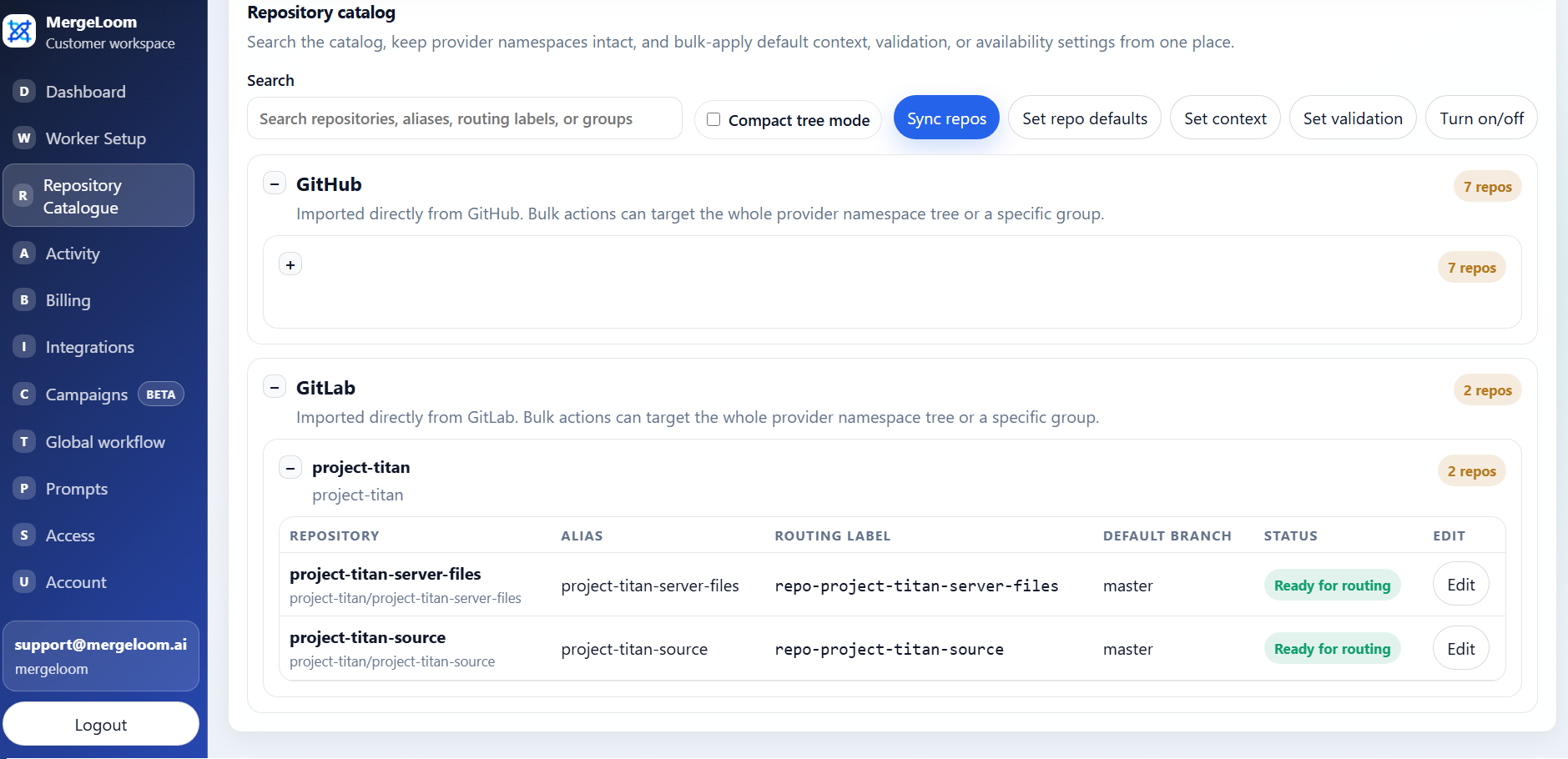
Section titled “Repository Routing”Repository routing is how MergeLoom knows which code repository a ticket should change.
Open Repository catalog in the customer controller. Each repository has an alias. The alias becomes the ticket label.
| Repository alias | Ticket label |
|---|---|
api | repo-api |
web | repo-web |
worker | repo-worker |
The label must match the current repository alias. If you change the alias in the repository catalog, update the ticket label too.
Comments Are Part of the Loop
Section titled “Comments Are Part of the Loop”Your team can talk to MergeLoom where the work already lives.
To ask for another pass:
-
Add a ticket comment that starts with one of these prefixes:
MergeLoom -MergeLoom:MergeLoom -> -
Add the new instruction in the same comment.
-
Move the ticket back to the configured ready state.
-
Let intake pick it back up.
MergeLoom looks for a previous completed or blocked run with an actionable continuation comment. It should reuse the existing branch when possible and update the same PR or MR.
Supported Intake Tools
Section titled “Supported Intake Tools”MergeLoom can intake work from:
- Jira
- GitHub Issues
- GitLab Issues
- Azure Boards
- Linear
- monday.dev
MergeLoom can publish review output to:
- GitHub
- GitLab
- Azure Repos
Confluence and repository documentation can be used as context sources where configured.
What to Check Before Enabling Intake
Section titled “What to Check Before Enabling Intake”- The managed label is correct.
- The ready state is correct.
- The ticket has enough acceptance criteria.
- The ticket is assigned to a workspace user if assignment checks are enabled.
- The repository routing label matches Repository catalog.
- Quality Agents are configured for your desired review bar.
- Validation commands are configured for the target repository.