
Self Hosted Worker Execution
Self Hosted execution runs the MergeLoom worker inside your environment. The worker performs repository checkout, context assembly, AI execution, validation, repair attempts, review checks, branch push, and worker-local audit storage.
Use Self Hosted when your security model requires the execution path to stay inside your own infrastructure.
Two UIs Are Involved
Use https://controller.mergeloom.ai for workspace setup,
integrations, repository catalog, workflow rules, and controller audit.
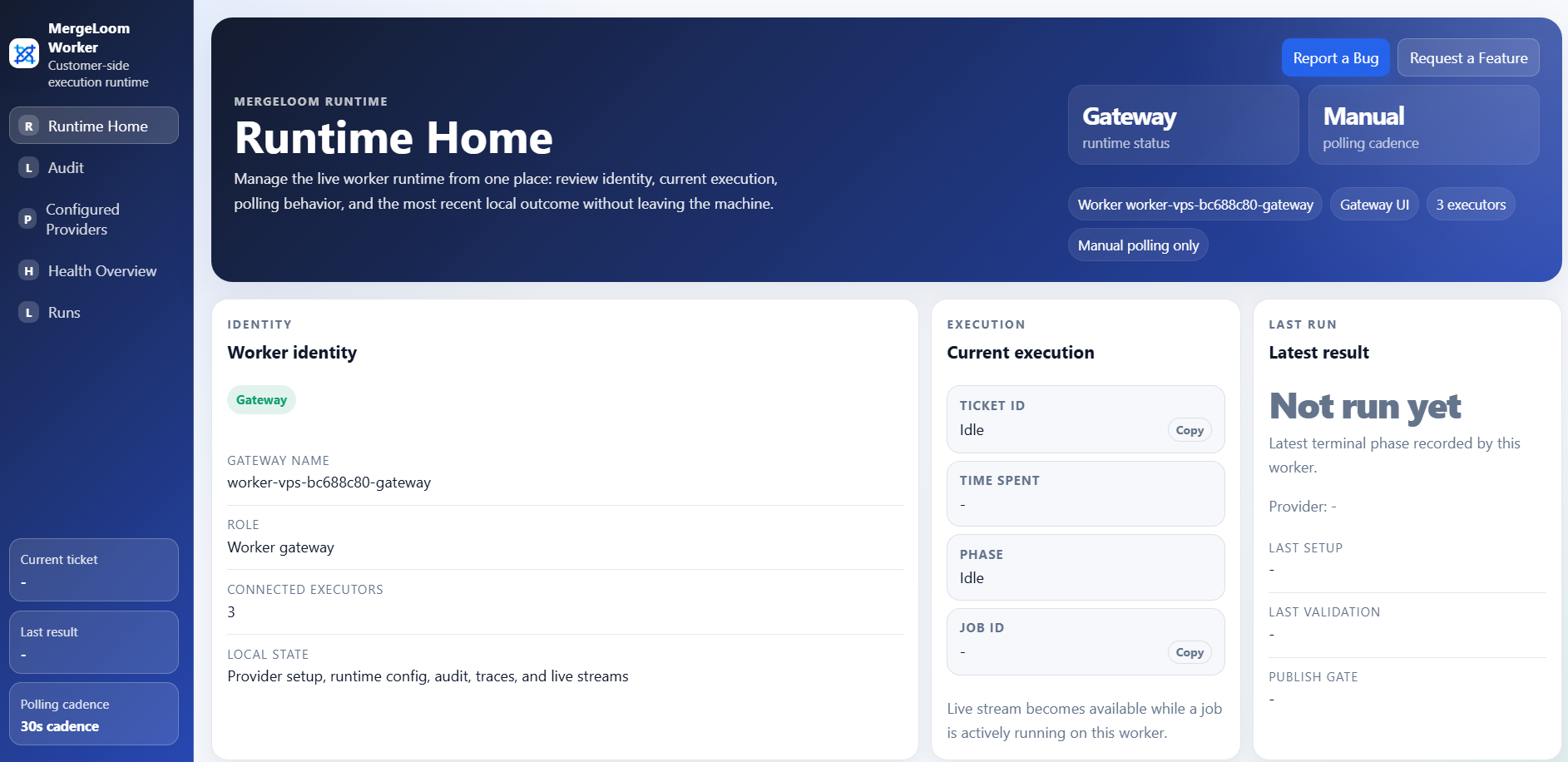
Use the local worker UI, usually http://127.0.0.1:8010/, for
provider setup, live worker state, Ticket Audit, Code Audit, and deep
worker traces.
What the Worker Owns
Section titled “What the Worker Owns”The Self Hosted worker owns the sensitive execution path:
- repository checkout
- prompt and context assembly
- AI provider calls
- setup and validation command execution
- bounded repair attempts
- Quality Agent stages that run worker-side
- branch preparation and push
- live run streams
- Ticket Audit and Code Audit evidence
The customer controller coordinates the job and integrations, but the worker is where the code work happens.
Install Paths
Section titled “Install Paths”Self Hosted has two supported install paths:
| Path | Best for | Guide |
|---|---|---|
| Docker Compose | Fastest proof of value on a Linux host or VPS. | Install the Self Hosted worker |
| Helm | Kubernetes deployment with platform-managed Secrets. | Install the Self Hosted worker |
Cloud Hosted does not need either path. If you selected Cloud Hosted, use Cloud Hosted execution instead.
Provider Setup
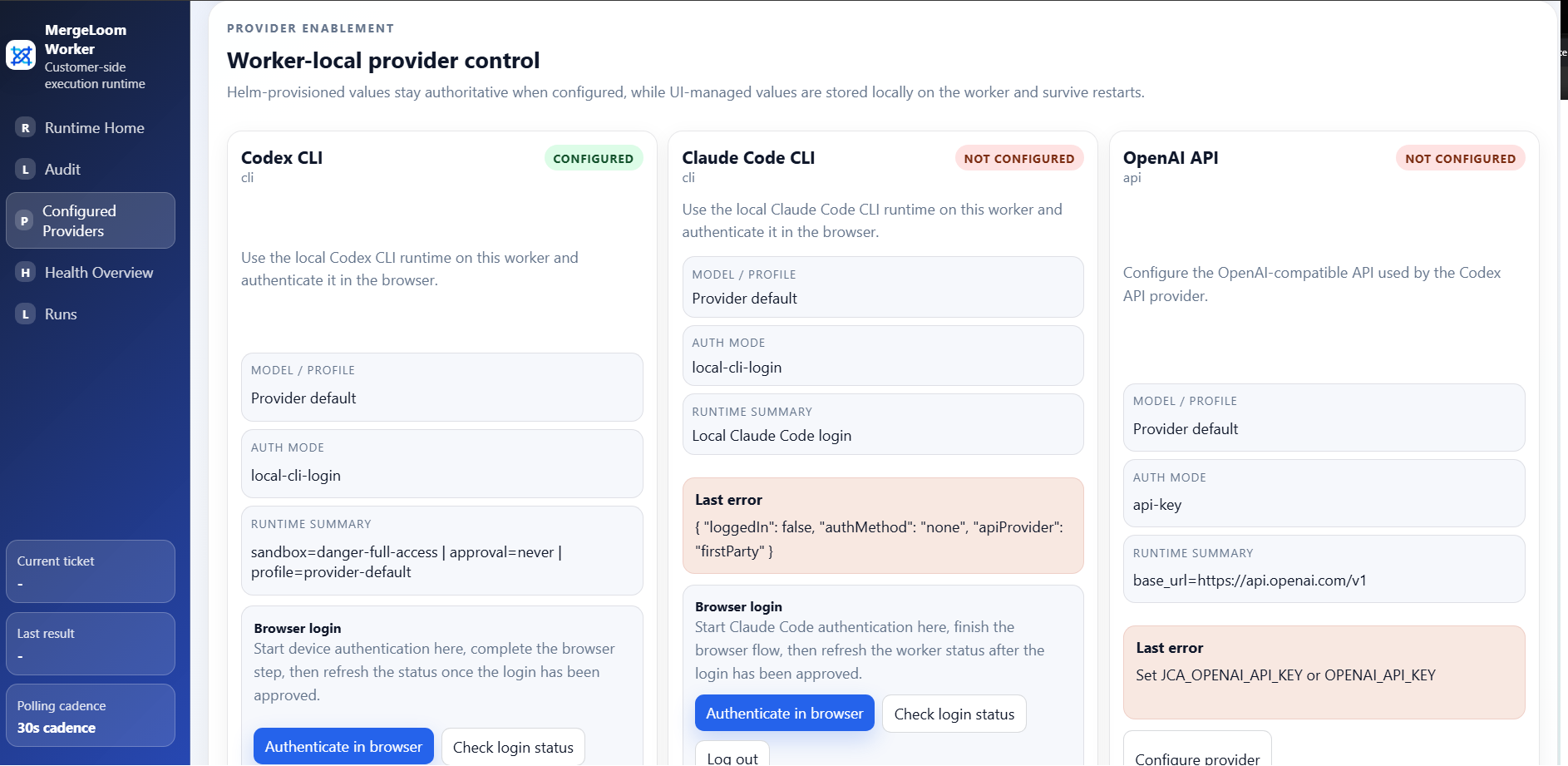
Section titled “Provider Setup”Self Hosted provider setup happens in the local worker UI or through environment/Secret configuration.
Supported provider paths include:
- Codex CLI
- Codex API
- Claude Code CLI
- Claude API
- OpenAI-compatible endpoints
- Vertex AI
- AWS Bedrock
- Azure Foundry
See Configure a Self Hosted AI coding provider.
Worker Audit Surfaces
Section titled “Worker Audit Surfaces”Self Hosted audit visibility is split deliberately:
| Surface | Where | What it shows |
|---|---|---|
| Controller Audit | Customer controller | Intake, routing, queue, integration, and PR/MR coordination events. |
| Ticket Audit | Local worker UI /audit | Worker execution stages, provider calls, validation, repair, review, and final outcome. |
| Code Audit | Local worker UI /audit/code | Repository line evidence, file diffs, touched lines, and ticket attribution. |
Deep worker traces and Code Audit evidence stay worker-owned for Self Hosted deployments.
See Self Hosted audit.
Production Checklist
Section titled “Production Checklist”Before production rollout:
- use a dedicated worker host or Kubernetes namespace
- keep enrollment tokens and provider keys in Secrets
- review
JCA_WORKER_ALLOWED_COMMANDS - configure repository validation commands
- enable only the repositories MergeLoom should write to
- confirm workflow states match your tracker
- confirm Ticket Audit and Code Audit are visible in the local worker UI