No Ticket Link
A commit does not show which approved work item authorized the AI-generated change.
Audit Trails tie every MergeLoom-routed change back to the ticket, run, requester, repository, provider path, validation output, and PR/MR.
AI spend and AI-written code stay out of throwaway chat history. MergeLoom keeps receipts attached to the work.
When AI work happens outside the workflow, teams lose the link between the request, the run, the validation evidence, and the final code.
A commit does not show which approved work item authorized the AI-generated change.
Agent logs, validation output, repair attempts, and review notes disappear into local sessions.
Security teams lose the worker or provider trail behind the change.
Repository metrics cannot answer which lines came through the AI workflow.
MergeLoom keeps workflow evidence connected so teams move from a changed line back to the ticket, run, checks, and PR/MR behind it.
Every routed change keeps the request, run, user, repository, and provider path connected.
Approved work item, requester, acceptance criteria, and status.
Run ID, workspace, repository, worker, duration, provider path, and outcome.
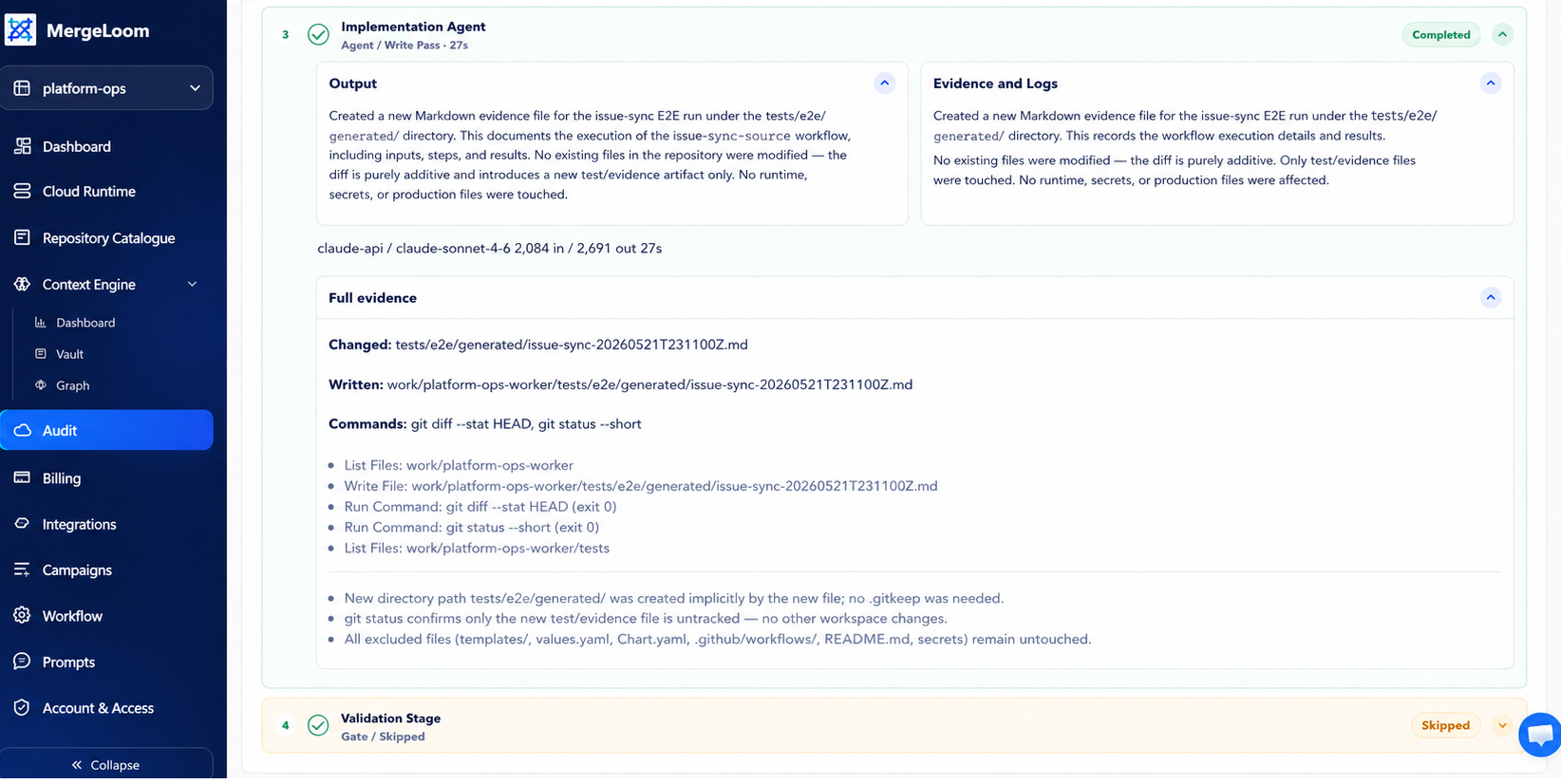
Quality Agent output, checks, repair attempts, review notes, and Diff Guard.
Code host branch, summary, reviewer handoff, and final merge decision.
Follow the trail from business request to changed line without replacing Git or code review.
The run links back to the exact ticket, issue, or task that authorized it.
Requester, repository, worker, provider path, status, timing, and outcome are retained.
Checks, repair attempts, AI review notes, and Diff Guard stay attached.
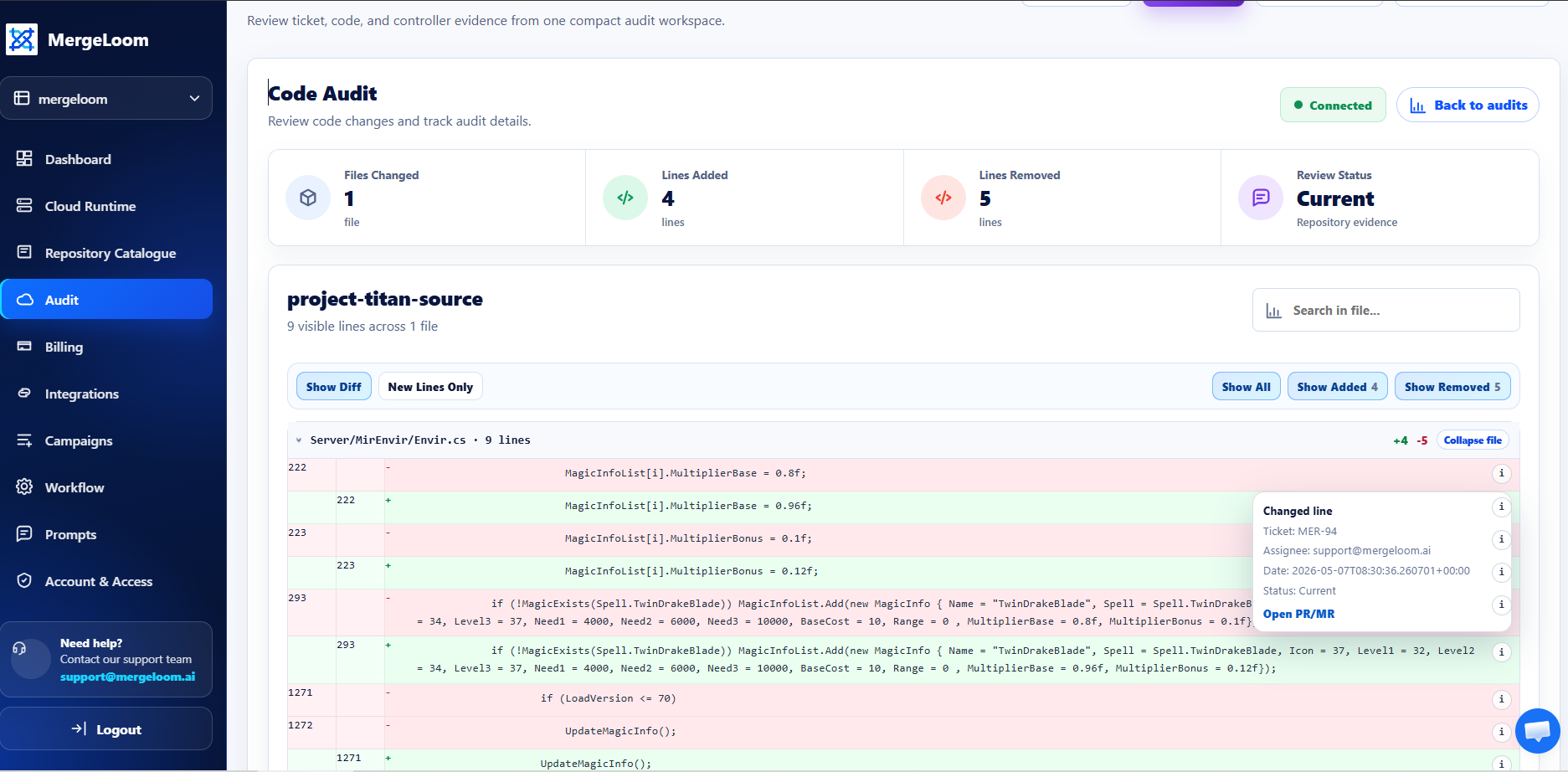
Code Audit connects file-level and line-level changes back to the routed run.
Reviewers approve through GitHub, GitLab, or Azure Repos as normal.
Controller, ticket, code, and worker records answer different questions without hiding the merge decision.
Workspace-level view of runs, users, repositories, usage, and outcomes.
The work item view shows run history, status, evidence, and PR/MR links.
Repository and file views show line-level evidence for routed changes.
Self Hosted teams keep deeper execution traces inside their boundary.
Audit Trails add AI workflow evidence without replacing code review, Git history, blame, approval, or release controls.
Changed lines tie back to the ticket, run, user, timestamp, status, and PR/MR evidence.
Controller Audit, Ticket Audit, and Code Audit answer different operational questions.
Cloud Hosted centralizes audit in the controller. Self Hosted keeps deeper execution detail on the worker.
The audit trail explains the automation path. The code host remains the approval system.
Audit views show the ticket, requester, run, repository, validation result, PR/MR, and changed lines behind each routed change.
Attribution is only useful when the boundary is clear. MergeLoom tracks work routed through MergeLoom workflows.
Strong attribution applies to AI work routed through MergeLoom workflows.
Use GitHub, GitLab, or Azure Repos for review, approval, blame, and merge decisions.
Cloud Hosted audit is available in the customer controller.
Self Hosted Ticket Audit, Code Audit, and deep traces are worker-owned.
Audit Trails are strongest when leaders need proof behind AI-assisted changes without slowing normal PR/MR review.
Trace changes back to ticket, run, requester, and validation evidence.
Understand which worker or provider path produced a change.
See how much code was touched through MergeLoom workflows.
Give developers evidence before they inspect the diff.
Use controller audit surfaces for central visibility.
Keep execution evidence in the worker boundary.
No. Strong attribution applies to work routed through MergeLoom. Unmanaged local AI usage outside MergeLoom is not captured automatically.
No. Git and the code host still handle review, blame, approval, and merge. Code Audit adds AI workflow evidence.
Cloud Hosted audit lives in the customer controller. Self Hosted execution audit, Code Audit, and deep traces stay worker-owned.
Teams see what changed, which ticket authorized it, who requested it, where it ran, which checks ran, and which PR/MR received the output.
Run MergeLoom on scoped work before rolling it out. You only pay when a run opens a PR/MR for review, not for seats or tickets that stop before handoff.
Cloud
Then From £4 Per PR/MR
Self Hosted
Then From £2 Per PR/MR
Paid Outcomes
No PR/MR, No Run Charge
No PR/MR, No Run Charge · No Seat Pricing · Human Review Stays In Control