Ticket Intake
Approved work can start from the tracker your team already uses.
MergeLoom sits inside the tools your team already uses. Approved work comes from your tracker, runs through MergeLoom, and returns to GitHub, GitLab, or Azure Repos for review.
No new chat UI. No parallel queue. Ticket states, comments, repository routing, provider choice, and PR/MR review stay where your team expects them.
Jira, GitHub Issues, GitLab Issues, Azure Boards, monday.dev, or Linear.
Repository routing, context, validation, audit, and handoff are coordinated by MergeLoom.
Anthropic in Cloud Hosted, or your approved provider path in Self Hosted.
GitHub PR, GitLab MR, or Azure Repos PR for normal human review.
Supported Stack
MergeLoom does not ask teams to move tickets, reviews, docs, or notifications into another AI workspace.
Approved work can start from the tracker your team already uses.
Runs hand back a normal review request in your code host.
Use approved docs as context and notify teams when review is ready.
Deployment Choice
The integrations stay controller-managed in both modes. The main difference is where execution happens and which AI provider path is available.
Cloud runs use MergeLoom-managed Anthropic today, with AI credits handled through MergeLoom.
Self Hosted workers run in your boundary and use the provider path your team approves.
 Codex CLI/API
  Claude Code/API
  OpenAI-Compatible
  AWS Bedrock
  Azure Foundry
 Setup Model
Customers manage work intake, repository output, context, and notifications in the controller. Self Hosted teams also use the Local Worker UI for provider readiness and worker-side execution settings.
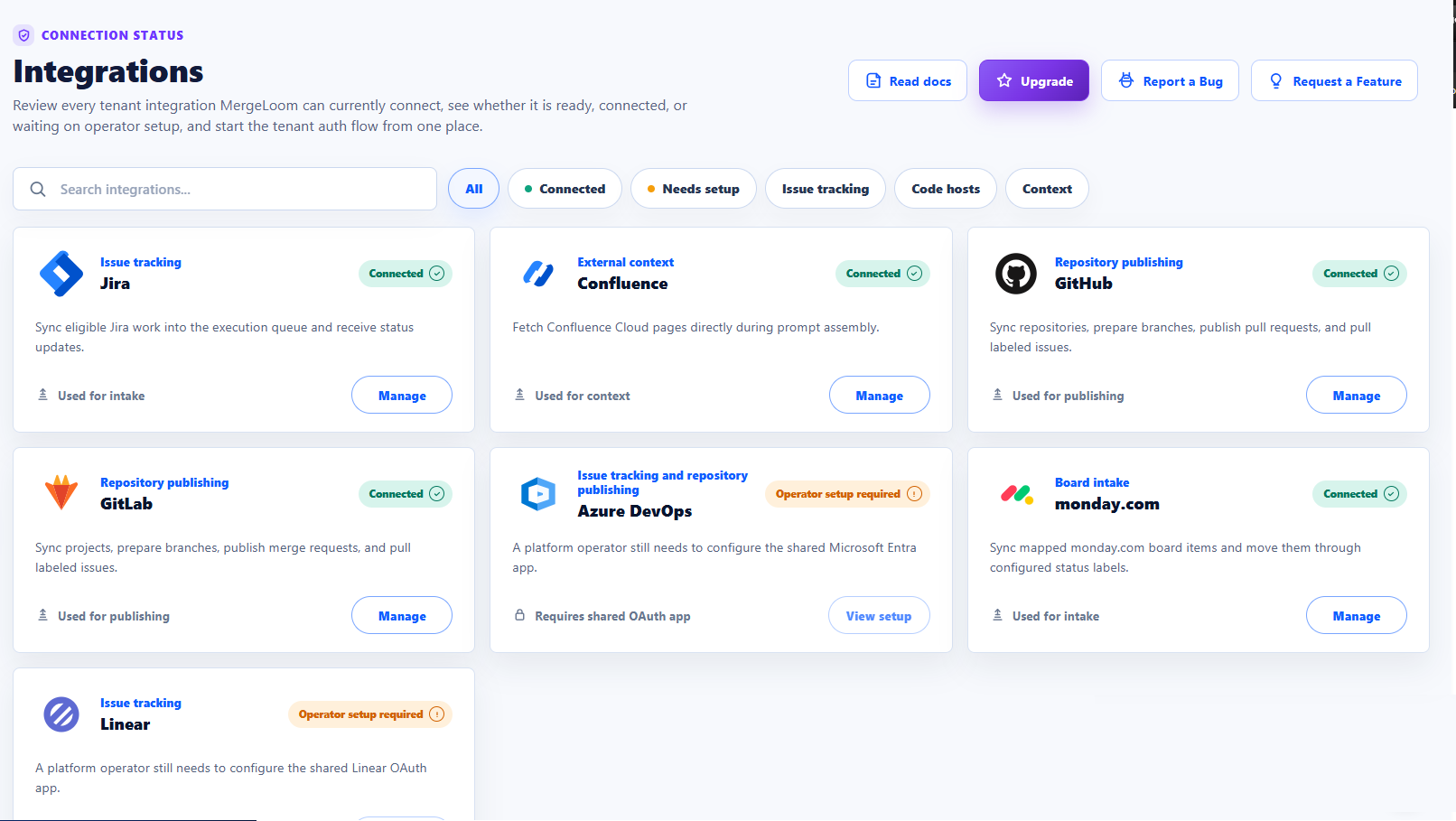
Work trackers, code hosts, Confluence, Slack, and Teams are configured centrally in the MergeLoom controller.
Labels, statuses, queries, repository aliases, and review handoff rules decide what gets picked up.
Self Hosted provider readiness, credentials, and model paths live with the local worker runtime.
No. Keep your current tracker and code host. MergeLoom works through the systems your team already uses.
Jira, GitHub Issues, GitLab Issues, monday.dev, Linear, and Azure Boards supply work. GitHub, GitLab, and Azure Repos receive PR/MR output.
Cloud Hosted uses Anthropic through MergeLoom today, with AI credits handled through MergeLoom.
Self Hosted workers can use customer-managed Codex, Claude, OpenAI-compatible, Vertex AI, AWS Bedrock, or Azure Foundry provider paths where the selected model supports the tool-calling behavior MergeLoom needs.
Run MergeLoom on scoped work before rolling it out. You only pay when a run opens a PR/MR for review, not for seats or tickets that stop before handoff.
Cloud
Then From £4 Per PR/MR
Self Hosted
Then From £2 Per PR/MR
Paid Outcomes
No PR/MR, No Run Charge
No PR/MR, No Run Charge · No Seat Pricing · Human Review Stays In Control